Do TikTok Ads Need an AI-Generated Content Label? The 2026 Rules
Yes. TikTok requires an AI-generated content disclaimer for non-Spark ads whose image, video, or audio was completely generated or significantly modified by AI. Spark ads follow the creator disclosure on their underlying organic post. If you duplicate a campaign, check the setting again because TikTok resets the Ads Manager toggle.
TikTok uses different disclosure screens for different ad formats. The right setting depends on whether you are publishing an organic post, turning that post into a Spark ad, or uploading a non-Spark ad in Ads Manager.
TikTok changes its policies and interfaces, so we checked the official ad disclaimer overview, Ads Manager instructions, and advertising policy for edited media on August 28, 2026.
The longer answer
TikTok uses two AI-disclosure paths. A non-Spark ad with completely generated or significantly AI-modified creative uses the This ad contains AI-generated content toggle during ad creation. A Spark ad starts as an organic TikTok post, so TikTok sends it through the creator-facing AI-label flow instead. The threshold is also broader for paid non-Spark creative than the familiar organic rule about realistic AI content.
When the underlying organic post promotes your own business or someone else’s brand, TikTok also requires its commercial content disclosure. That setting marks the post as promotional content or a paid partnership. It does not replace the AI label.
Use the right disclosure path
Start by identifying where the finished creative will live.
| Where the video appears | What to do about the AI label | Extra check |
|---|---|---|
| Organic post | Use TikTok’s creator AI-generated content setting when the post contains realistic AIGC. TikTok also encourages the label for content that was completely generated or significantly edited by AI. | If the post promotes a brand, product, or service, turn on commercial content disclosure too. |
| Spark ad | Label the underlying organic post through the creator flow. TikTok’s Ads Manager instructions explicitly route Spark ads to the organic disclosure rules. | Confirm the source post has the right AI and commercial labels before authorizing it for ads. |
| Non-Spark ad | Check This ad contains AI-generated content during ad creation when the creative was completely generated or significantly modified by AI. | Review claims, rights, likenesses, music, and the landing page before submitting. |
| Duplicated campaign | Re-enable the AIGC toggle for every qualifying duplicate. | TikTok says new campaign creation, including duplication, resets the toggle. |
That last row is the easiest mistake to make. A creative can pass through one campaign with the setting on, then lose it when you duplicate the campaign for a new audience or test. Treat every duplicate as a fresh disclosure checkpoint.
What counts as significant AI modification
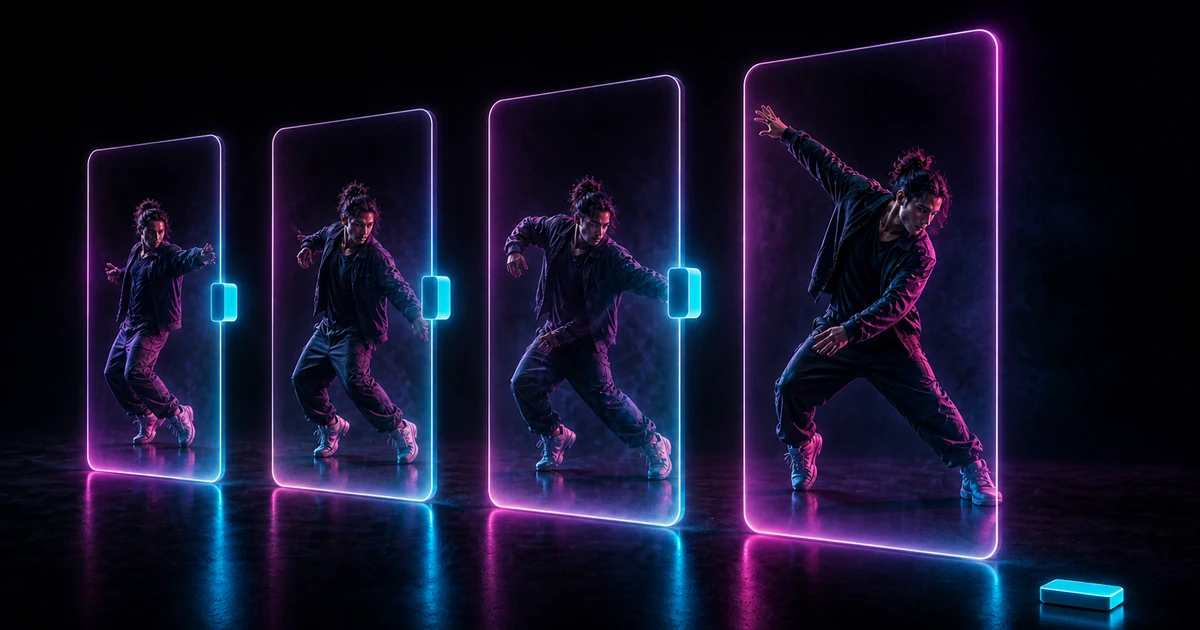
TikTok’s current ad policy gives an unusually direct example. Showing the primary subject doing something they did not actually do, “like dancing,” is a significant AI modification. The same section covers completely generated image, video, or audio and AI voice cloning.
TikTok treats the following changes as minor AI edits:
- adjusting lighting, brightness, or color saturation;
- removing or changing a background;
- denoising an image.
So a small color correction does not become a disclosure case merely because an AI tool handled it. Replacing the main subject or generating a new dance performance crosses a much clearer line.
The paid-ad rule matters here. TikTok’s creator guidance requires labels for realistic AIGC and encourages them more broadly. Its advertising policy covers completely generated and significantly modified ad creative. Do not assume a clearly animated character lets a non-Spark ad skip the Ads Manager toggle.
How to add the label to a non-Spark ad
For qualifying non-Spark creative, TikTok’s current path is short:
- Create a campaign or open an existing one in TikTok Ads Manager.
- Go to the ad creation step.
- Check
This ad contains AI-generated content. - Finish the ad and submit it for review.
TikTok says you cannot clear that setting after submission unless you change the video or image. The documentation also warns that any new campaign, including a duplicated one, resets it.
The option may not appear for every account or setup. TikTok says availability can vary. If your interface differs, use the live Ads Manager documentation instead of relying on an old screenshot or tutorial.
The AI label and commercial disclosure are different
The AIGC label answers, “Was this media generated or substantially changed by AI?” Commercial content disclosure answers, “Is this post promoting a business, product, or service?”
An organic post can need both. Suppose you post a realistic AI character dance to promote your own app, then authorize that post as a Spark ad. The source post needs the appropriate creator AIGC disclosure. Because it promotes your business, TikTok’s commercial content guidance also requires the commercial content setting.
Use each label for its own purpose. A Paid partnership or Promotional content label identifies the commercial relationship. The AI-generated label
identifies how the media was made.
A label does not guarantee ad approval
TikTok says it may reject or restrict an undisclosed AIGC ad. Turning on the right setting removes that particular problem. It does not approve everything else in the creative.
The same advertising policy still prohibits misleading product claims, inconsistent prices or offers between the ad and landing page, fake interface elements, and identity misuse. Copyright, music licenses, and permission to use a person’s likeness remain separate checks.
The label also comes with no performance promise. TikTok’s creator help page says the organic AI setting itself does not reduce distribution when a post follows Community Guidelines. That statement does not guarantee paid-ad approval, delivery, reach, conversions, or cost.
How this applies to a MoveAs video
MoveAs combines a source motion video with a character image on iPhone. When the result is ready, you can save it to Photos or prepare it for the standard iOS share sheet. MoveAs does not publish the ad or set TikTok’s disclosure options for you.
If you use the result as TikTok creative, check the destination:
- For an organic post, follow the creator AI-label rules and add commercial disclosure when the post promotes a business, product, or service.
- For a Spark ad, verify those labels on the underlying post before activating it as an ad.
- For a non-Spark ad, use the Ads Manager AIGC toggle because the generated character is performing an action they did not perform in the source image.
- For a duplicated campaign, turn the toggle back on when the creative still qualifies.
Use only source footage, character art, music, and likenesses you own or have permission to use. The ability to upload an asset is not a license for an ad.
Frequently asked questions
Do all TikTok ads made with AI need a label?
No. TikTok distinguishes completely generated or significantly AI-modified ad creative from minor edits such as lighting adjustments, background changes, and denoising. Qualifying non-Spark ads use the Ads Manager AIGC toggle. Spark ads follow the creator disclosure rules on their underlying organic post.
Where is the AI-generated content toggle in TikTok Ads Manager?
TikTok’s current instructions place This ad contains AI-generated content in
the ad creation process. Check it before submitting a qualifying non-Spark ad.
TikTok notes that the feature may not appear for every advertiser.
Do Spark ads use the Ads Manager AI toggle?
Not through the non-Spark flow. TikTok says Spark ads live organically on the platform, so the underlying post follows the creator-facing AIGC disclosure rules. A promotional source post may also need the separate commercial content disclosure.
Does duplicating a TikTok campaign preserve the AI label setting?
No. TikTok says any new campaign creation, including campaign duplication, resets the AI-generated content disclaimer toggle. Re-check and re-enable it before submitting each qualifying duplicate.
Making an organic post first? Read the TikTok AI-label guide before you publish, or browse the MoveAs blog for more creator checks.