Do You Have to Label AI-Generated Videos on TikTok?
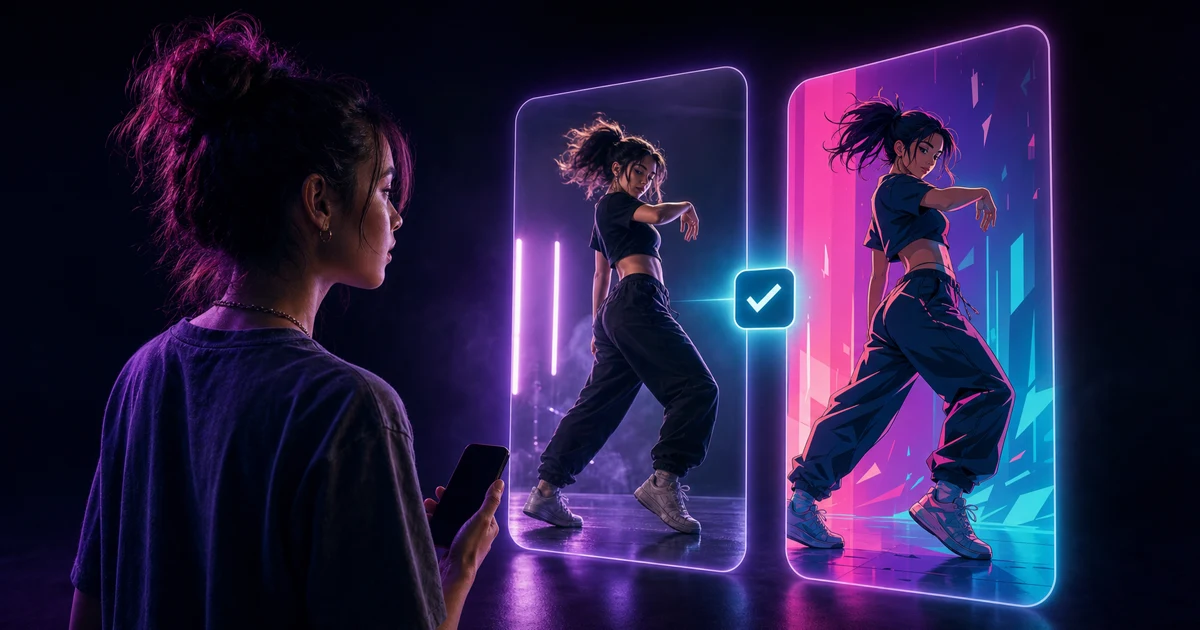
You have to label an AI-generated or significantly edited TikTok video when it shows a realistic-looking person or scene. A clearly stylized anime or cartoon video is not in TikTok’s current mandatory-disclosure category, although TikTok still encourages creators to label content that was completely generated or significantly changed by AI.
That means “made with AI” and “must use the label” are not quite the same test. What matters is how the result looks, whose likeness it uses, and whether a viewer could mistake it for something real.
TikTok can change its rules and interface, so we checked the official AI-generated content help page and current Community Guidelines on July 28, 2026.
The short answer
TikTok currently requires clear disclosure when AI or significant editing creates a realistic-looking person or scene. You can use TikTok’s AI-generated content setting, or make the disclosure clear with a caption, watermark, or sticker. Small edits such as cropping and color correction do not need disclosure. The current rules also say artistic styles such as anime do not need it.
There is a second boundary that matters more than the switch. Some content is not allowed even when it has a label. If a clip uses a private person’s likeness without consent, harms someone, fakes a public endorsement, or misleads people about a matter of public importance, adding “AI-generated” doesn’t rescue it.
Use this decision tree before you post
Start with the finished clip, not the tool you used to make it.
1. Does it look like real footage of a real scene or person?
If yes, turn on the label.
This includes a realistic body or face replacement, a photorealistic character doing something the real person never did, or a believable scene that was substantially changed. A video can begin with real source footage and still need disclosure when AI replaces the main subject.
For character motion transfer, the practical test is simple: if a reasonable viewer could think the person or scene was captured by a camera, label it.
2. Is it clearly anime, cartoon, painted, or otherwise stylized?
The current Community Guidelines say disclosure is not required for artistic styles such as anime. A visibly illustrated character doing a dance is different from a photorealistic video of a person who appears to have performed that dance.
You can still label stylized content voluntarily. TikTok’s Help Center encourages labels for content that was completely generated or significantly edited by AI, even where the stricter mandatory rule does not apply.
3. Does it use a private person’s likeness?
Permission comes before labeling. TikTok’s rules do not allow a private figure’s likeness to be used without consent. The platform treats adults who are not public figures, and everyone under 18, as private figures.
If you do not have permission, do not post the clip. A disclosure label tells viewers how the media was made; it is not consent.
4. Does it show a celebrity or another public figure?
A label is necessary for realistic AI, but it is not a free pass. TikTok prohibits harmful or misleading uses such as a fake political statement, a fake product endorsement, or a depiction that links a public figure to criminal behavior.
Keep parody and fan content clear, avoid implying a real endorsement, and only use material you have the right to share.
5. Is the style somewhere in the middle?
When the character is stylized but the lighting, skin, setting, or camera work could pass for real footage, use the label. Borderline is exactly where a little context helps.
If your first reaction is “technically it is a cartoon, but someone could think this happened,” that is not a strong reason to leave the setting off.
How to turn on the label in the TikTok app
TikTok’s current official video-posting path is:
- Tap the Add post (+) button.
- Record a video and tap Continue, or upload a video from your iPhone.
- Tap Next.
- Tap More options.
- Turn on AI-generated content.
The published post receives TikTok’s creator-applied AI label. TikTok may also apply an automatic label when it detects AI-generated content or reads Content Credentials attached to a file. The Help Center says an automatic label cannot be removed.
Menu names move. If the option is not where this guide describes it, use the live TikTok Help Center instructions rather than following an old screenshot.
Does the AI-generated label hurt views?
TikTok says turning on the AI-generated content setting does not affect a video’s distribution as long as the post follows its Community Guidelines. That is the useful, narrow answer.
It is not a promise of reach. TikTok does not say the label will improve views, protect a weak post, or make prohibited content eligible for the For You feed. It only says the setting itself does not reduce distribution for compliant content.
So do not build a metadata-removal ritual around avoiding the label. TikTok uses more than one signal, including creator disclosure, its own detection systems, and Content Credentials. More importantly, hiding the edit does not change the rule.
How this applies to MoveAs videos
MoveAs takes a source motion video and a character image, then creates a new video of that character performing the motion. When the video is ready, you can save it to Photos or open the standard iOS share sheet. MoveAs does not publish directly into TikTok.
Once you move the result into TikTok, run the same visual test:
- Realistic person or realistic scene: turn on the label.
- Obvious anime or cartoon character: the current mandatory rule does not require it, but voluntary disclosure is fine.
- Stylized character that could be mistaken for a real person: label it.
- A private person without consent: do not post it.
- A public figure in a fake endorsement, political statement, crisis, or harmful scenario: do not post it.
The source choreography being real does not automatically make the output non-AI. If the final video substantially changes the person a viewer sees, judge the final video.
A quick pre-post checklist
Before you tap Post:
- Look at the final export without thinking about how you made it.
- Ask whether the person or scene could be mistaken for real footage.
- Confirm you have permission to use any private person’s likeness.
- Check that the clip does not fake an endorsement or matter of public importance.
- Turn on the AI-generated content setting when the result is realistic or borderline.
- Check TikTok’s live policy if the app wording or your scenario has changed.
That takes less time than debating whether a character swap is “mostly real” because the background and movement came from a camera.
Frequently asked questions
Do all AI-generated TikTok videos need a label?
No. TikTok requires disclosure for AI-generated or significantly edited content that shows realistic-looking people or scenes. Its current rules say small edits and artistic styles such as anime do not require disclosure. TikTok still encourages broader voluntary labeling for content made or substantially changed with AI.
Do anime or cartoon AI videos need the TikTok AI label?
Not under the current mandatory-disclosure rule when the result is clearly an artistic style. If the character is stylized but the finished video could be mistaken for real footage, use the label.
Does the AI-generated label reduce TikTok views?
TikTok says the setting itself does not affect distribution when the video follows Community Guidelines. That does not guarantee views, For You feed eligibility, or performance.
Can I post an AI video of a real person if I label it?
Not automatically. TikTok prohibits using a private figure’s likeness without consent and prohibits several harmful or misleading public-figure scenarios. Disclosure provides context; it does not turn prohibited content into allowed content.
Want more practical guides for making and posting character dance videos? Browse the MoveAs blog, then check TikTok’s live policy once more before you post.